
Keyboard Ghosting Test Guide for NKRO and Rollover
A keyboard ghosting test checks what happens when several keys are held at the same time. A keyboard can pass every single-key check and still fail when you hold a gaming combo, a design shortcut, or a multi-key editing command. That is why this page focuses on simultaneous input instead of ordinary typing.
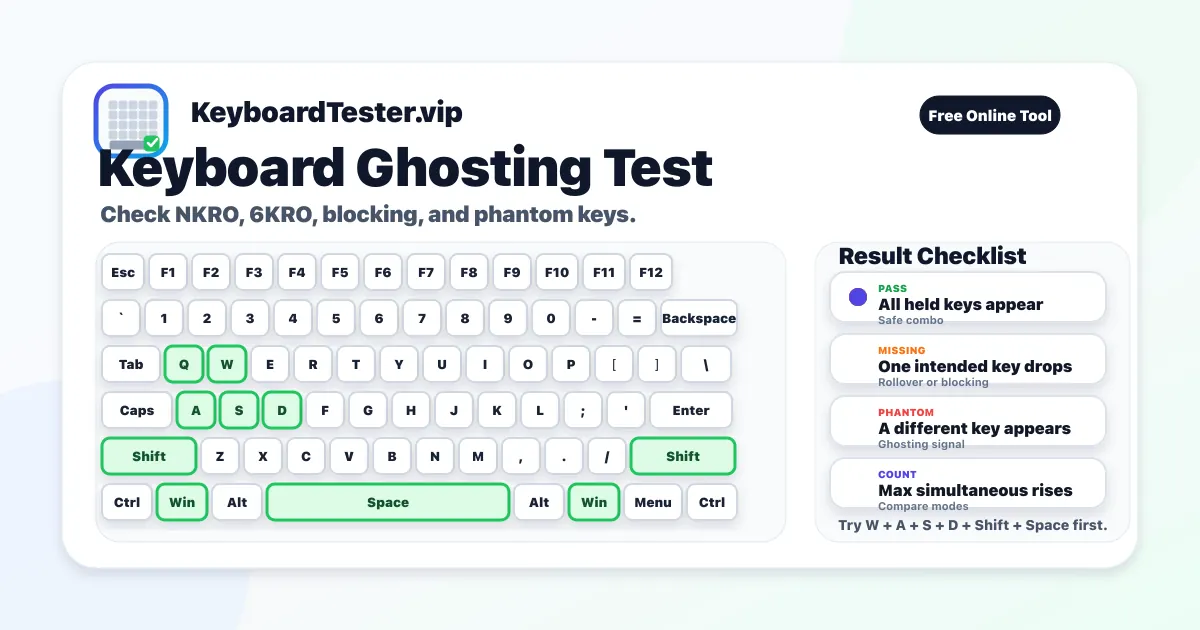
Use the live keyboard ghosting test above to hold the exact combination you care about. Watch the current key set, then compare it with your fingers. If W, A, Shift, and Space are physically held but one of them is missing on screen, the issue is likely rollover, key blocking, firmware handling, or a matrix limitation.
The keyboard ghosting test is most useful when you repeat the same combo several times. Test wired mode, wireless mode, game mode, and any vendor software profile separately. A stable failure pattern is more useful than one random miss because it tells you which shortcut or movement cluster needs a new keybind.
Combos to try first
FPS movement
W + A + S + D + Shift + Space
Checks sprint, crouch, jump, and directional movement at the same time.
MOBA/MMO skills
W + Shift + Ctrl + 1 + 2 + Q
Combines modifiers with number-row and letter skills used in fast keybinds.
Editing shortcut
Ctrl + Shift + Arrow + Home
Tests productivity chords that fail on some low-rollover office keyboards.
Arrow cluster game
Up + Left + Space + Shift
Useful for games or emulators that use arrows instead of WASD.
How to run a clean keyboard ghosting test
- 1
Click the page once so the browser has focus before holding a combo.
- 2
Hold the full combo at the same time instead of tapping keys one by one.
- 3
Compare your fingers with the Current Combination panel and the highlighted keys.
- 4
Record the Max Simultaneous count for each keyboard or connection mode.
- 5
Repeat the same combo three times to confirm the result is stable.
- 6
Close macro tools, remappers, and game overlays if results look inconsistent.
NKRO, 6KRO, blocking, and ghosting
| Term | Meaning | What to check |
|---|---|---|
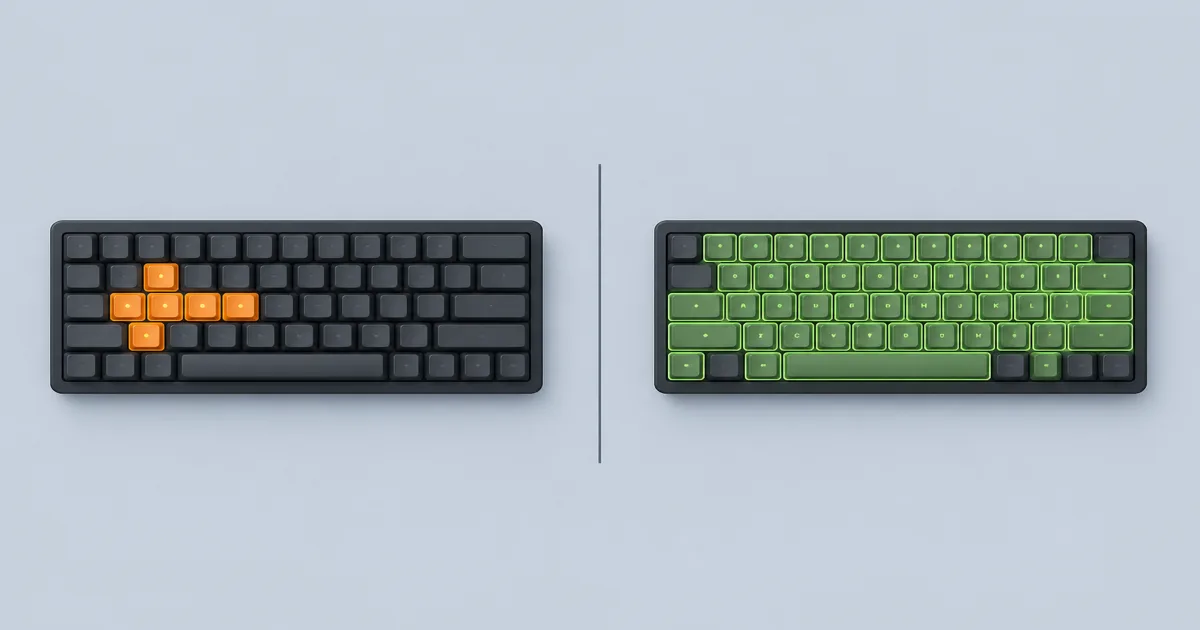
| NKRO | N-key rollover means the keyboard can report many simultaneous keys independently. | Hold your hardest real combo and confirm every key appears. |
| 6KRO | Six-key rollover usually supports up to six non-modifier keys at once. | Watch where the keyboard stops adding new keys to the live set. |
| Blocking | Blocking means an intended key is suppressed so a bad phantom key is avoided. | Look for a key you are holding that never appears on screen. |
| Ghosting | Ghosting means an unintended phantom key appears during a multi-key press. | Compare highlighted keys against the exact physical keys you are holding. |
How to interpret keyboard ghosting test results
All held keys appear
The tested combo passed in this browser session.
Next: Repeat the same combo two or three times, then test your real game or app binding.
One intended key is missing
The keyboard may be blocking that matrix combination or hitting a rollover limit.
Next: Try a different keybind, test wired mode, and compare another keyboard if possible.
A different key appears
That is classic ghosting behavior, where a phantom input is detected.
Next: Avoid that combo for important shortcuts and check whether the keyboard supports anti-ghosting for that zone.
The combo passes once but not repeatedly
Wireless stability, battery level, polling, firmware, or switch contact may be inconsistent.
Next: Charge the keyboard, use a cable, close remap tools, and rerun the keyboard ghosting test.
Single keys work but combos fail
This is likely rollover or matrix behavior, not a dead key.
Next: Keep the single-key tester separate from the keyboard ghosting test result.
Common causes of failed multi-key combos
Entry-level office keyboards may have low rollover limits by design. Some wireless boards also behave differently when battery level, receiver placement, or polling stability changes. Mechanical keyboards with damaged switches can pass a single-key test but fail a keyboard ghosting test because fast combined presses expose inconsistent contact.
Software can confuse the diagnosis too. Remapping tools, macro layers, remote desktop sessions, game overlays, and vendor utilities can intercept combinations after the hardware reports them. If a combo fails only in one app, test it here, then inspect the app binding before replacing hardware.
Browser and system limits to remember
A browser can read normal keyboard events, but your operating system may reserve some shortcuts before the page receives them. Alt + Tab, Command shortcuts, media keys, brightness keys, secure login combinations, and some vendor Fn layers may never reach the page. That does not prove the keyboard is broken.
For the most reliable comparison, use this keyboard ghosting test on ordinary letter, number, arrow, modifier, and spacebar combinations first. If those pass but a system shortcut fails, the limitation is probably outside the keyboard matrix. If ordinary combos fail the same way in this page, in a game, and in another browser, the result is much stronger evidence.
When to use another test
If one key never appears by itself, use the main Keyboard Tester first. If one key appears twice from one press, use the Double Type Test. The keyboard ghosting test is specifically for combinations that fail while single keys still work.
FAQ
What is keyboard ghosting in simple terms?
A keyboard ghosting test checks whether all keys in a simultaneous key combination are detected. Ghosting or blocking appears when one intended key disappears, a phantom key appears, or the keyboard stops reporting additional keys.
How many keys should a gaming keyboard register?
Most gaming keyboards advertise high rollover, often 6KRO or NKRO. This page helps verify real-world behavior for your personal key combinations.
What is the difference between ghosting and key blocking?
Ghosting is unintended or false input behavior, while key blocking is when one or more intended keys are intentionally suppressed due to matrix limitations.
Which key combinations should I test first for gaming?
Start with real gameplay patterns such as WASD + Shift + Space, then include Ctrl, number-row skills, and nearby action keys.
Why does the same combo fail in wireless mode but pass on cable?
This usually points to signal quality, battery state, or polling stability rather than hard switch failure.
Can firmware or software updates improve ghosting behavior?
Sometimes yes, especially for wireless stability and debounce logic. Update keyboard firmware and repeat the exact same combo tests.
Can software cause ghosting-like behavior?
Yes. Input remappers, macro tools, and unstable drivers can imitate hardware faults. Test with minimal background software for cleaner results.
Is NKRO the same as anti-ghosting?
No. NKRO is a rollover spec: the keyboard can report many keys independently. Anti-ghosting is a broader marketing or design term for reducing phantom keys. A board can advertise anti-ghosting and still stop around six keys, so use this keyboard ghosting test on your real combos instead of trusting the label.
Why does my NKRO keyboard only register 6 keys?
Many keyboards default to USB HID boot protocol, which reports only six non-modifier keys at once even when the box says NKRO. BIOS screens, some wireless modes, and compatibility toggles can also drop you to 6KRO. Hold seven or more ordinary keys here. If Max Simultaneous stops at six, try a vendor NKRO switch, a direct USB port, or wired mode, then repeat the same combo.
How do I fix keyboard ghosting?
True matrix ghosting is a hardware limit, so software cannot fully remove it. Remap the failing combo, enable NKRO if the keyboard has a toggle, use a cable instead of Bluetooth, update firmware, and close remappers. If the same keys fail here, in a game, and in another browser, the practical fix is a different keybind or a board with real NKRO.
Can a browser keyboard ghosting test show real ghosting?
Yes, for ordinary letter, number, arrow, modifier, and spacebar combinations that reach the page. If a held key is missing or a phantom key appears in this keyboard ghosting test, that is useful evidence. System shortcuts such as Alt + Tab may never arrive, so treat those misses as OS limits, not proof the keyboard is broken.
Does keyboard ghosting happen on laptops?
Yes. Laptop keyboards often have tighter matrices and lower rollover than full-size gaming boards. Click this page, then hold the same movement or shortcut combo on the built-in keys. Fn, brightness, and volume may be handled before the browser, so start with WASD, Shift, Space, Ctrl, and number-row skills.
Is keyboard ghosting bad for gaming?
It is a problem when a real gameplay combo drops a key, such as sprint, jump, or a skill bind. Many players never need full NKRO, but a failed WASD + Shift + Space check can still cost a fight. Use this keyboard ghosting test on the binds you actually press, then change those binds if the same keys keep disappearing.